Help
Help and fixes
The things that trip people up, in the order you meet them. The words in quotes are the ones Forge shows you.
Before you start
Which AI accounts work?
You need one of these. Claude: Pro, Max, Team or Enterprise, or an Anthropic Console account. ChatGPT: Plus, Pro, Business or Enterprise, or an OpenAI API key. Grok: a free account works, with low limits; SuperGrok raises them. Gemini: Google AI Pro or Ultra for Neon; Carbon needs Google AI Ultra. A Gemini tab asks you to sign in with Google the first time.
A free Claude account won't work. One ready AI is enough to start, and you can connect the others later from Settings › AI & accounts.
Does it run on a Mac?
No. Forge is for Windows 10 or 11, 64-bit. There's no Mac or Linux version.
Where do my agents' files go?
Forge suggests a new folder named after the agent and shows its full path before you save. It goes in your Default project folder (Settings) if you set one, else where most of your agents already are, else Documents\Forge. You can pick any place, or point the agent at a folder you already have. Renaming the agent never renames a folder.
How do I get my GitHub repos into Forge?
Get my GitHub repos on Forge's home screen, or in Settings › Folders & sync. Sign in through your browser (or with a token), tick the repos you want, and Forge downloads them to this PC. Each one is then in your projects list. Sign out any time from Settings › Folders & sync.
Do I need Git?
Not to start. Git for Windows is only for crews of helpers, the Git panel and downloading your GitHub repos. If it's missing, Git on the left rail offers to install it for you, for your Windows account only. You can also get it at git-scm.com.
Installing
"Windows protected your PC"
Click More info, then Run anyway. Windows warns about apps that aren't code-signed, and Forge isn't yet. The install step, with drawn copies of the boxes.
It's blocked, and there's no Run anyway button
That's Smart App Control, on some newer Windows 11 PCs. It blocks apps that aren't signed and has no way past for a single app. Please don't turn it off for Forge: message me and we'll sort it out together.
"Installing… this takes a minute or two" for more than five minutes
Click Show terminal. If it says ENOTFOUND or ETIMEDOUT, check the internet connection, then Try again.
"Couldn't install Claude Code"
Click Try again. Still failing? Check the internet connection, then copy the diagnostics and send them to me.
Signing in
"Still waiting for the browser"
Click Open the sign-in page again. The sign-in tab may have opened behind Forge: look on the taskbar.
The browser shows a code
Forge shows a Sign in card: If the browser shows a code, paste it here. Paste the code and press Send code.
"Claude Code needs a paid plan"
Claude Code needs Pro, Max, Team or Enterprise, or a Console account with API billing. No paid Claude plan? Connect ChatGPT or Grok instead, from Set up your AIs.
"Sign-in didn't finish"
Click Show terminal. If it shows a link, open it in your browser. If it says your plan can't be used, sign in with a different account. Then click Try again.
Your first agent
The Name box already has a name in it
That's a suggestion. Press Ctrl+A first, and your typing replaces it.
Page 2 has a lot of choices. Which do I pick?
Keep the starred ones: the Orchestrator role and the starred model and effort. Works without asking permission for each step starts checked. In Forge's words: On (the default): it edits files and runs commands in this folder without stopping to ask. Off: it asks before each change, as a card in Chat. You can stop it any time.
I clicked Claude Opus in the top bar and got a bare terminal
The quick buttons in the top bar open a fresh, throwaway terminal with that AI, not a saved agent. For an agent you keep, use Create Agent.
What's the plan meter along the bottom?
It shows how much of your AI plan's limit is used. In Forge's words: This meter fills as your agents work and empties on its own. Hover it to see when it refills.
I picked the wrong folder
Agents → the agent's Edit → choose the folder, then restart its tab.
Chatting
I'm looking at a terminal. How do I get back to the chat?
Click Back to chat, or press Ctrl+Shift+Y. Chat and the terminal are the same session, so nothing restarts.
It's asking permission to do something
A card in Chat offers Allow, Allow, don't ask again, Deny and Answer in terminal. claude may still ask now and then, even with Works without asking on.
Chat says "Nothing to show yet."
Click Show terminal: claude may be asking something. Answer it there, then press Ctrl+Shift+Y to go back to Chat.
It's asking me something in the terminal
Ctrl+Shift+Y goes back to Chat, where most questions show as buttons. Otherwise use the arrow keys and Enter.
My agent stopped answering
A pulsing dot means it's still working. Press Esc in its chat to stop it, then send again. If nothing moves for minutes, close the tab and start it again from Agents.
Closing and updates
I closed Forge. Why is it still running?
Closing the window leaves your agents running, and Forge waits in the tray by the clock. The first time, it asks: Close the window, or stop everything? with Close to tray and Quit Forge. To stop it later, right-click its tray icon → Quit Forge.
How do updates work?
Forge downloads updates by itself. When one is ready, a small window opens beside Forge with the new version's number, what's in it, and Later, Update now and Don't remind me. Nothing restarts until you say so. With terminals running, Later is the main button and Update now becomes Stop N terminals and update, with the real count.
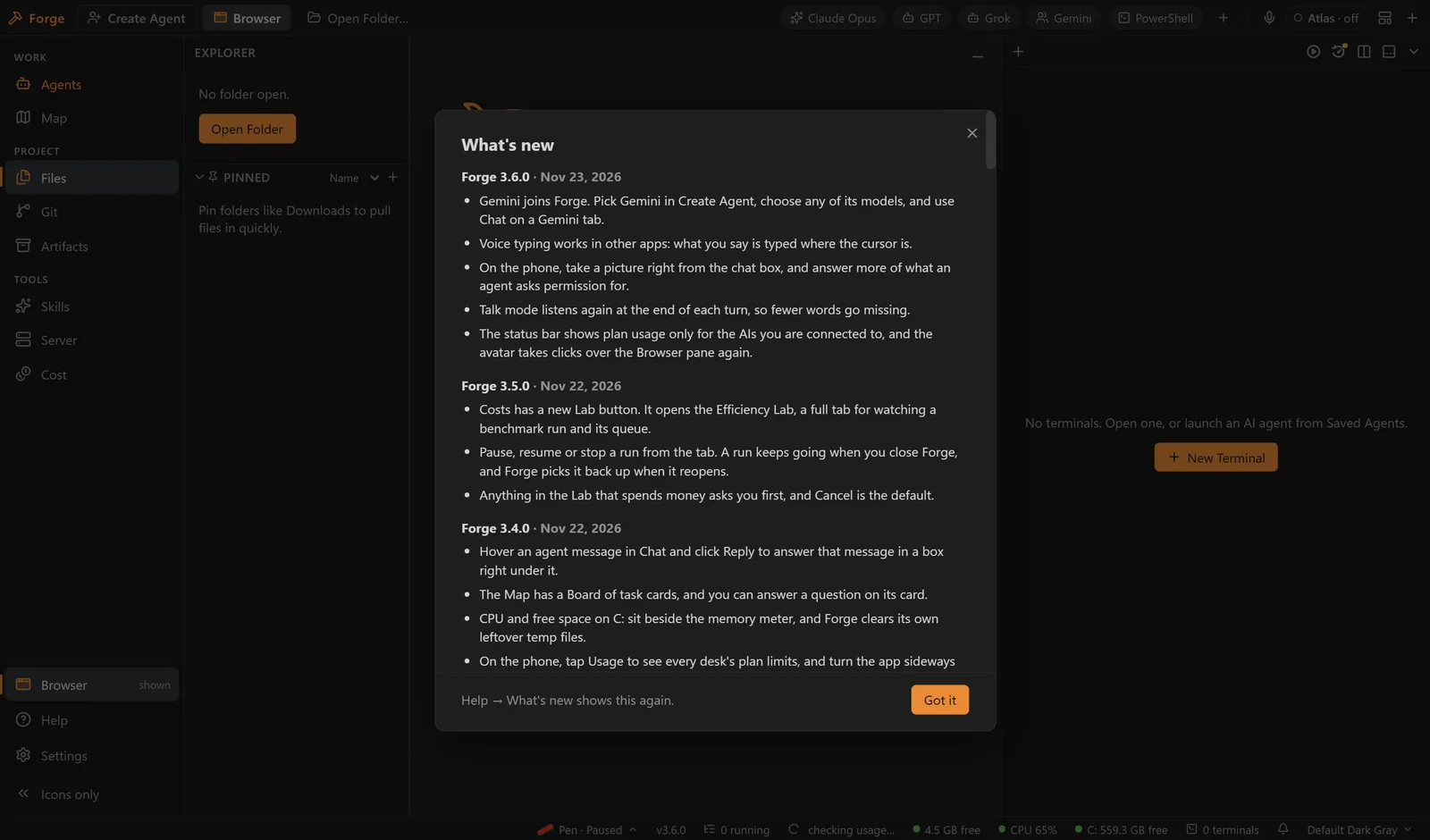
To check now, open Help at the foot of the left rail › Check for updates. What's new, in the same place, lists what changed; every version is also on the changelog.
How do I uninstall it?
Like any app: Windows Settings → Apps → Installed apps → Forge → Uninstall. Your project folders stay where they are.
The capture keys don't work
They're off on a new install. Turn them on in Settings › Capture.
Copy diagnostics
What is it, and what's in it?
When something breaks, it gives me what I need to help. It copies Forge's version, the Windows build, the versions of claude, codex, node and git, and the last 40 lines of Forge's log. Your home folder shows as ~ and email addresses are hidden.
It goes to your clipboard only: Forge sends nothing anywhere. Paste it into a message, read it if you like, and send it to me. It works before you sign in.
Where: Help at the foot of the left rail › Stuck? › Copy diagnostics, at the bottom.
Every fix Forge knows about is also in the guide's Stuck? section. Still stuck? Reply to the message that sent you here and I'll help.